This week, I replaced the monitor swivel-mount on the laser cutter with a heavy-duty arm. Its mounted into a slot I cut into the frame, using the existing hole as a guide. This way, nothing is protruding into the walkway beside the laser. I did check before installation, the clamping knob is 10mm above the right gantry motor. The idea is to be able to position the monitor in a way that is closer to the laser operator when sitting down, able to face them directly, offer enough clearance to reach the air switch, and do all of this from a position that is always out of the way of the laser door.
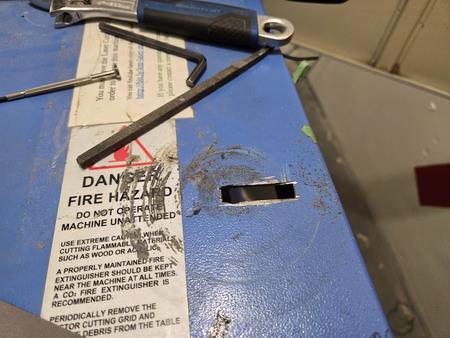
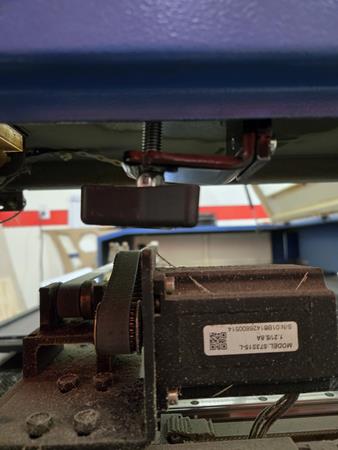
So, the screen should be in a position now that means it does not need to be adjusted or moved. If you do move it, please make sure the laser door can still open freely. I realize the irony in using a more articulate mount to keep the screen in a static position, but I already enjoy how much less I'm craning my neck or worrying about smacking it every time I open the door.
I also took the opportunity to clean the mirrors and lens (thank you to Nicholas for the guidance on that). Its been over a year since the last general cleaning, and that's something I'd like to get done this summer. Its always nice to do with a few people, helps with moving the larger pieces in and out of the machine. Maybe Sunday the 28th, before Canada Day? The Space as a whole could use a once-over, as I expect we'll have more visitor traffic following Art in The Park.